Buying-Plasma-Television

Buying a Plasma Television

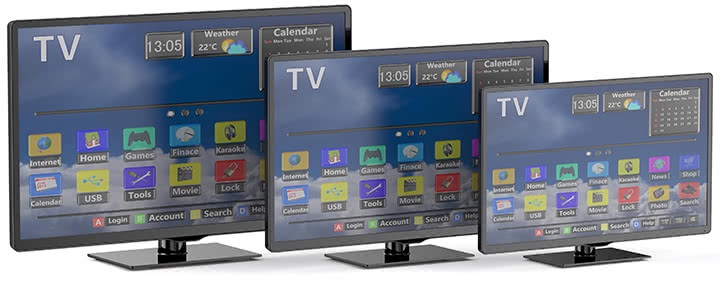
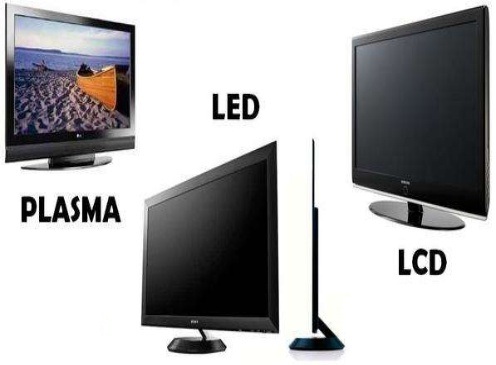
With televisions getting bigger and bigger Plasma Television technology has become a front runner in the big screen race.

A few years ago a plasma television was well out of the financial reach of the average man with the smaller televisions costing upwards of $8000.

But with steady competition from the LCD technology these prices are steadily coming down as time goes by. Now is the chance for the common man to purchase a big screen plasma television.

There are several sizes when it comes to plasma televisions. They range from 25 inch up-to 60 inch. All delivering high quality picture. But what do you look for when purchasing a big screen plasma television?

There are several things to look for. Firstly don’t go for the biggest one there. This will be the most expensive one and dropping a size or two below the biggest will get you the most value for money.

The second thing to look for would be the brand. Go for the most trusted brand. Some well known brands include Panasonic, LG and Sony.

Sony plasma televisions tend to be more expensive than the other brands.

Thirdly you will need to look for a plasma television that suits your needs.

Meaning one that has a remote and interface that is simple to use, and has all the connections you need for your surround sound system or DVD player.

Picking the right plasma television need not be a difficult task. You can ask friendly staff at any of the major electronics stores for suggestions and recommendations.

In the end the choice is yours. The choice of which brand you want to buy, which color, which size etc. It depends on your personal taste and of course your budget.

These days a 60 inch plasma television will cost you around $6000. Of course this is for a huge screen that most of us will not need.

The more modest 42 inch screens will only set you back around $3000.

Buying A Digital Camera

Buying A Digital Camera

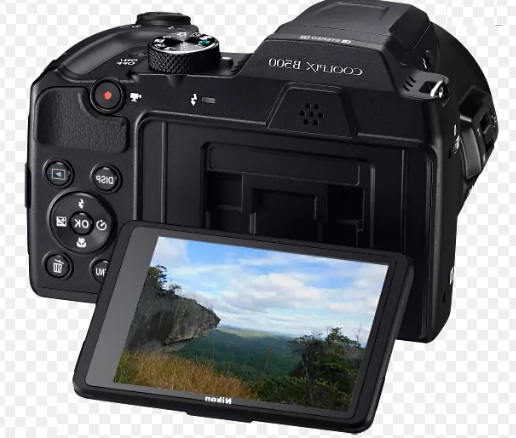
When it comes to buying a digital camera, you need to ask yourself one question. “What type of pictures am I looking to take?”

Then from that point on, try to envision the image perfectly in your mind, also how you would like then to turn out for others to see.

From there on in, it can be easy clicking and all this can be done just by picking out what you are looking for in the features of a digital camera and the picture you have seen in your mind. Buying a digital camera should not be stressful.

Most digital cameras come with the essentials things such as picture storage and a viewfinder and other times when it comes to buying a digital camera, you will find that some extras may be helpful to you on making what envisioned seem real on paper or on a screen.

Some digital cameras come with zoom, a self-timer and even flash, so choosing these qualities just might be right up your ally for great picture taking.

One of the neat features that some digital cameras offer these days is a moviemaker or mpeg maker, this allows you to capture a few seconds worth of homemade film and can complement any picture you have taken.

Buying a good digital camera does not have to cost a lot of money for anyone, even for the beginner. The good thing about a digital camera is that it takes out the cost of developing the film at a local store plus the drive to the store and back.

There is an instant gratification feeling, just by viewing the pictures on the viewfinder or they may also be downloaded from your camera to your personal computer.

Almost all digital cameras come with software that can be installed onto your PC and it gives you full freedom of editing your pictures until you are content and happy with them.

home-theater-projectors

Buyers Guide to Home Theater Projectors

Over the years, I have grown really attached to my home theater system. I must say, of all the rooms in the house, my own little movie theater is the one I could not live without.

I am absolutely in love with my home theater system and, if you are anything like me, I am sure you will love yours too. I found, when I was initially building my system, that there was so much information to absorb.

Every product out there seemed better than the next, and I found myself unsure about which to buy. Here are a few things to keep in mind when shopping for a new home theater projector.

There are two main types of projectors on the market; DLP and LCD. DLP stands for digital light processing. It was invented by Texas Instruments, and utilizes a microscopic array of over 2 million mirrors. DLP has a higher contrast than LCD, but there are some unfavorable consumer reports that note something called the “rainbow effect”.

The “rainbow effect” is noticeable when looking from one side of the screen to the other, and is characterized by a sudden burst of color.

LCD stands for liquid crystal display. These projectors have three distinct glass LCD panels inside; one for each component of the video signal (red, green, and blue). While DLP chips reflect light, the LCD panels allow light to pass through them.

LCD projectors produce brighter images, and they are known for having excellent color saturation. In the end, you will be hard-pressed to notice a great difference between the two types of projection systems.

When shopping for a new projector, keep your particular needs in the forefront of your thoughts. As I mentioned above, it is really easy to lose yourself in the minutiae of each particular system.

Connectivity is a definitely something to be mindful of. Make sure that you are able to connect all of your components, including your gaming system. Nothing beats playing Halo in real-life size!

Contract ratio is another important factor; the higher the ratio, the better the picture will be.

The brightness of your projector is another thing to consider. Light output is measured in ANSI (American National Standards Institute) lumens.

You will want to avoid a projector that produces anything shy of 1000 lumens. As you are likely aware, the projection resolution is extremely important. This refers to the number of pixels that can be displayed on the screen.

Go for something that is no less than 1024×768, as this will allow you to fully appreciate the depth and quality of HDTV. In the end, you should buy the projector that is in line with your needs and your budget.

Soprano’s is coming on right now! Time to go!

digital-cameras

Basics of the Digital camera

Like most things in life when your experiencing something for the first time you are often unsure how to go about it. The same can be true when buying your first digital camera.

You will undoubtedly be inundated with facts, figure and more jargon than you know what to do with. We will attempt in this article to help you along with some of the jargon and show you what to look for when buying a digital camera.

Some of the feature may not interest you unless you need your camera to perform specific tasks, however its always worth knowing exactly what you are buying so you can pick a good deal when you see one.

Megapixels

The resolution of a camera is measured and advertised in megapixels. The idea behind this figure is the number of pixels that the camera has to take an image with. In this case the higher the number the better quality of picture you will be able to take.

For example if you purchase a camera that has a resolution of 4 Megapixels, pictures that you take with that camera will be able to take images made up of 4 million pixels.

Its obvious when you think about that a camera with a 2 megapixel resolution will not create as image as crisp or as detailed as the 4 megapixel one.

If you often print out your images on your PC or have them sent away to be printed then the megapixel rating of your camera can be very important to you.

Higher megapixels on your camera will allow you to make prints larger in size while still keeping the quality.

If you try to print a picture too large than what you camera was designed for then the image drastically loses quality.

The last thing to know about megapixels is the higher the resolution you take pictures in the more space on your memory card will be taken up.

A picture taken on a 4 megapixel camera will need twice as much space on a memory card as a picture taken on a 2 megapixel camera. Be sure if you want quality pictures have enough memory on your camera to back it up.

Either that or have spare media cards to plug in once your space has been used up.

Digital Zoom and Optical Zoom

No doubt when you are buying a camera you will want some sort of zoom function to take those in the distance shots. This is a troublesome area for some first time buyers. There are two types of zoom on the market for digital cameras.

Digital Zoom and Optical Zoom. The only one that really matters is Optical zoom, this is true a true zoom function that brings the objects closer to you using the optics of the camera.

Digital Zoom is like using the zoom function on an image editing software package. It enlarges a section of the image so it looks as if its closer to you.

Anything you can do with digital zoom you can do with a photo editing package so don’t splash too much money on a camera with digital zoom only.

Sometimes you will also so “total zoom” advertised this means the number that is quoted here is the optical zooms magnification added to the digital zooms magnification.

Try to find out the magnification level of the optical zoom alone for the true value of the camera.

Aperture Size

We may be going a little further here than some of you would like to care about but bear with us as the aperture size can make a big impact on your pictures. The size of the aperture determines exactly how much light is let into the camera when your picture is taken.

Think of the aperture like the iris of your eye. No big deal you may think, however having more light allows you take better pictures in a variety of lighting condition, cloudy days is a perfect example.

With a large enough aperture you would be less likely to need the flash, personally I don’t like to use the flash function, the artificial flash of light does not always do justice to the picture you are trying to take. Also effects like red eye are also common.

Shutter Speed

Great effects can be made to images using a variety of shutter speeds. The thing to look for when buying a decent digital camera in terms of shutter speeds is the broadest range you can find.

This will give you the best chance of manipulating the picture the way you want it. Combined with a pro-active aperture the shutter speed can make pictures come to life or freeze images in an instant.

This technique is great when you want to take moving objects exactly how they look as if they were still. Setting the shutter speed on a slower setting gives more exposure to the CCD (charge coupled device – the digital equivalent of film).

The effect is that the picture almost seems to run. Moving objects are slightly blurred. You may think this is a bad thing but take an example of running water leaving the shutter speed on for longer will soften the image creating a pleasing image to the eye much like the way a waterfall appears in real life.

You can take digital photography to the extreme with a camera that has a very wide range of shutter speeds. With an incredibly slow shutter speed, you can have a long exposure of light to the CCD and hence receive like the famous traffic scenes where the headlights blend into each other into a constant stream.

Storage Media

Digital Cameras come with a slot for a variety of media cards. Check when you buy your camera what type of storage media it requires. There are several popular types including

Smart Media, compact flash and xD picture cards. As long as you know what type your is you should be able to safely by the correct type. Always ask at your local store if you are unsure.

If you give them your make and model they should be able to point you in the right direction.

The size of the media card you choose depends on your budget but get as much as you can afford.

More memory means that you don’t have to change media cards, and you will be able to take pictures in the highest quality all the time.

You will soon learn the benefits of having plenty storage space when you start to use your camera regularly.

The good thing about cameras media is that its just like a film if you do run out you can simply insert another one if you have one with you.

It can be a bit of a pain when downloading your pictures to your PC but much less more of a pain than having to delete some picture because you have run of space on your media card.
 

Digital-Pianos

A review on Digital Pianos

A piano is a musical instrument that is classified as a keyboard, percussion, or string instrument, depending on the system of categorization used.

Playing the piano is wide-spread in western music for solo performance, chamber music, and accompaniment, and is also trendy as an abet for composing and rehearsal.

Materials used for pianos are strings, pin blocks, strings, plates and soundboard. Pianos also have pedals. They are of three types:

• Damper pedal
• Soft pedal
• Sostenuto pedal

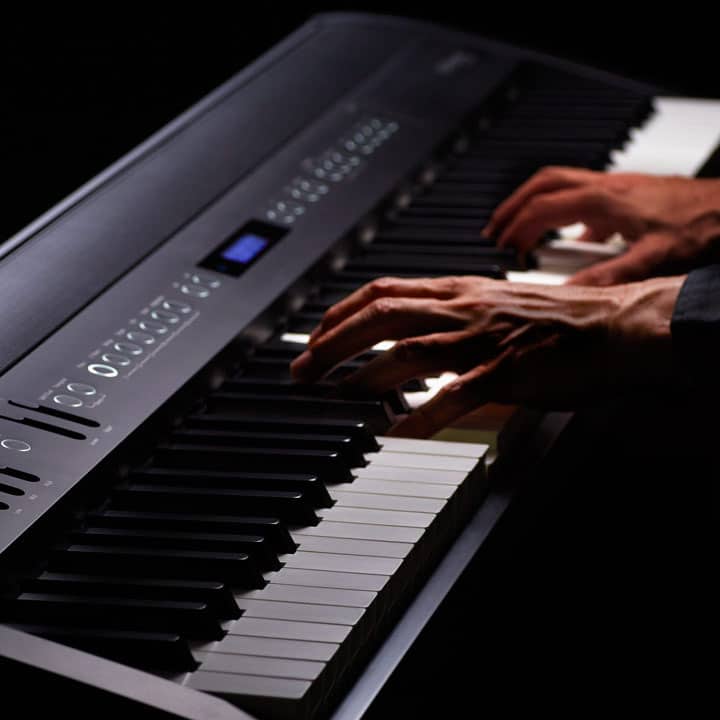
A digital piano is a modern electronic musical instrument designed to serve primarily as a substitute to a traditional piano, both in the way it feels to play as well as sound produced.

Digital pianos are also premeditated to look like an acoustic piano. While digital pianos may plunge short of the genuine article in feel and sound, they nevertheless have many advantages over normal pianos:

• They are relatively inexpensive and are considerably lighter.
• They do not necessitate tuning.
• They usually manufacture several different piano timbres.
• They integrate MIDI implementation and have extra features to aid in learning and composition.
• They embrace headphone output and have a transposition feature.

When a key is struck on an acoustic instrument, digital pianos fabricate overtones that reverberate around the room creating a sound that no digital instrument can accurately capture.

Today’s digital pianos are so good that most listeners can not tell the difference between a “live” piano and a digital one. Add to that the fact that they are the most inexpensive of the kinds of pianos you can buy and you’ve got an instrument that’s hard to beat.

Digital piano manufacturers are getting better and better at duplicating the tone of real acoustic pianos. But no matter how well the piano sound is sampled, it will always sound digital. The acoustic sound is far superior to that of a digital piano.

Due to portability, economical and MIDI capabilities piano and keyboard players choose digital pianos over their acoustic counterparts.

Advantages of digital pianos:

• Built-in rhythm accompaniments
• Ability to record your performance

Digital-Camcorders

A Review Of Digital Camcorders

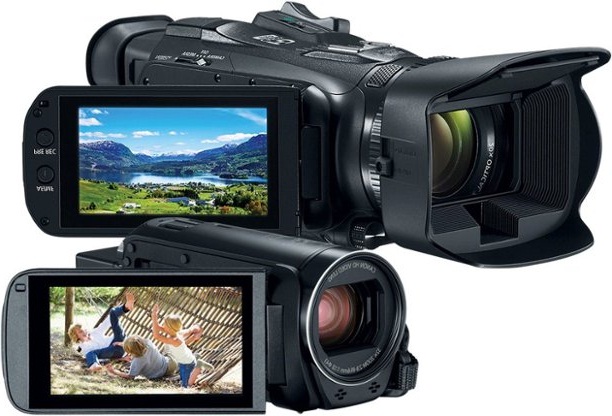
Digital camcorders that record directly to DVD discs are called DVD camcorders. Rather than recording to mini DV tapes, these models burn video to 8-centimeter DVD-RAM, DVD-R or DVD-RW discs.

DVD-R and DVD-RW media can be read in most home DVD players, but DVD-RAMs are readable only in a few home players.

Reviewers say there are some drawbacks to recording straight to DVDs. Because of frustrating incompatibilities between the various DVD formats and DVD editing software, reviews say you shouldn’t plan to do much editing on your computer.

In addition, although you can select different quality levels to maximize storage on a mini DVD disc, you’ll only be able to record about twenty minutes of top-quality footage.

There’s no question that digital camcorders will eventually be the only camcorders available.

Still, reviewers express surprise at the resilience of analog models, which still fit the bill for those who don’t own computers and just want a simple, inexpensive VHS-compatible camera.

This Sony digital camcorder records to miniature DVD discs, and once finalized, the discs are immediately playable in most home DVD players.

Reviews say the Sony DVR-DVD403 is easily the best DVD camcorder, with image quality that competes with the best mini DV camcorders, such as the Panasonic PV-GS250 below.

While recording to mini DVDs is convenient, it’s not as easy to edit footage on a computer, so the Sony is best for those who don’t care much about editing their video.

Since the Sony doesn’t have many manual features, the Panasonic is better for those who like to fiddle with settings.

Reviews say image quality is comparable between this Panasonic mini DV camcorder and the Sony DVD camcorder above.

Both get high scores in reviews, but the Panasonic records to inexpensive mini DV tapes, and the DV format is much easier to edit on a computer than the Sony’s MPEG -2 format.

Plus, the Panasonic has a bunch of features missing on the Sony, like a remote control, manual focus ring, an accessory shoe for an external flash unit, optical image stabilization and a voice recorder for narration. The whole package is comfortable to hold, with well-placed controls.

Canon isn’t known for making big innovations when it comes to camcorders; rather, reviews say Canon consistently and quietly offers sturdy, reliable, consistently good video cameras.

The Canon Elura 90 gets high scores for image quality (though it falls a bit behind the Sony and Panasonic above), and has a bunch of useful, basic features, like a 20X optical zoom, digital image stabilization, responsive autofocus and intuitive menus.

If you want something more than the very cheapest camcorder, but don’t need something as cutting edge as the Sony or Panasonic above, the Canon Elura 90 is a great value.

This is one of the cheapest miniDV digital camcorders you can buy, and reviewers say the Panasonic outclasses similarly priced camcorders from Sony and JVC.

It performs much better in low light than its budget competition. Included are a handful of manual controls.

Although reviews say the Panasonic camcorder’s menus can be a bit clunky, this is the best cheap digital camcorder you’ll find, with better features and performance than its competitors.

The majority of digital camcorders are ‘DV’ camcorders, which record video to widely available DV tapes. Some new models, however, are looking to push tape into obsolescence.

A small handful of digital video cameras can record to memory cards or an internal hard drive. Still others record to miniature DVD discs called mini DVD.

hd-tivo

A Look At HD Tivo

Have you ever heard someone say they were going to Tivo a program and wondered what they meant?

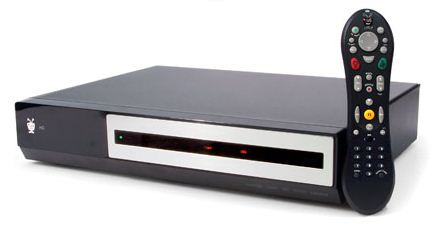
HD Tivo is a term used to describe a high definition digital video recorder, which permits the owner to record television programming and store it to an internal hard disk for later viewing.

So, the next time someone says they are going to Tivo something, they are simply saying that they are going to record it so that it can be watched at a later, more convenient time.

HD Tivo units function much like a VCR, which permits users to record programs onto a videotape.

The modernized form, however, is HD Tivo. This unit is not only beneficial for recording, however, as it is also capable of pausing and/or rewinding a program already in progress.

If, for instance, you have to step out of the room for a moment, you can pause the show and resume play when you reenter the room.

The convenience of HD Tivo is unmistakable, which is why many entertainment buffs own this new video recording equipment and wouldn’t think of turning on their TV without it.

Some HD Tivo units allow individuals to specify certain programs to record based on specific criteria, including program title, actor, genre, time, etc.

This availability depends upon location and service, but is often beneficial to those who schedule future recordings ahead of time.

HD Tivo products have been manufactured by industry-leading companies, including Philips, Toshiba, Sony and others. In order to use Tivo, individuals are required to subscribe to a monthly service, which generally costs approximately $10.00 to $15.00 per month.

Lifetime subscription plans, which were previously offered by Tivo, have since been discontinued in place of a new program allowing customers to receive the unit at no cost in exchange for prepaid service.

When subscribing to any service, including HD Tivo, it is important to carefully read the service contract and understand the service for which you are paying.

The monthly costs, service and cancellation policies should be clearly outlined in any contract. Any questions should be asked prior to signing of the contract and/or exchange of any payment.

If a prepaid amount is required, it is unlikely that a consumer would be permitted to cancel their service during that time and still receive a refund. However, this possibility should be discussed with a Tivo specialist.

Along with the unit itself, consumers will likely receive an owner’s manual and detailed instructions on how to operate their unit. As with any new technology, it may take some time to adapt to the features.

By carefully reading the manual and paying close attention to the instructions of the representative, you should be able to Tivo in no time.

LCD-TV

A 21” LCD TV – A Versatile Mid-Range Size

Some consumers consider a 21” LCD TV to be the perfect size: for TV viewing and for use as a computer monitor. Some take it one step further: they integrate their 21” LCD TV with a home theater PC.

It’s easier than you think, and a home theater PC setup lets you access any media files like digital image files, audio files, and videos.

You can also watch your favorite television shows or DVDs, and you can even use the 21” LCD TV as a computer monitor. It’s no surprise, then, that some consumers feel a 21” LCD TV is one of the most versatile screen sizes available.

If you watch digital TV on your 21” LCD TV, you could be already taking advantage of the possibilities of Digital Video Recorders (DVR) or TiVo.

You can go one step farther; integrating your 21” LCD TV with a home theater PC setup is the ultimate in versatility. And it’s not that hard – here are a few ways available to you.

1. Buy a PC with the Media Center version of Windows XP and make sure it has a TV tuner card capable of capturing digital signals from your cable or satellite box. Once it’s installed, it works just like a DVR. You won’t need to buy a high-end PC to integrate with your 21” LCD TV if you just want to record and play shows and movies – if you also want to play graphics-intensive video games, you may need a more expensive PC with greater graphics capability. Just make sure you get plenty of memory.

2. Upgrade your PC. You can buy a copy of Microsoft’s operating system with Media Center. Frequently it comes bundled with a TV tuner card you’ll also need. If you have decent computer skills you can handle the installation fairly easily and your 21” LCD TV home theater PC setup will be running in no time.

3. If you don’t want to upgrade to a new operating system, a number of software companies produce applications that perform the same chores as Media Center does. A few are available as freeware, but the features they offer tend to be limited. You’ll still need to factor in the cost of a TV tuner card – a TV tuner card won’t be included with the freeware.

Once you’ve decided how to set up your computer, you can integrate it into your home theater system so your 21” LCD TV can handle the video feed you send to it. A 21” unit is ideal for this purpose; sets that are larger sometimes deliver reduced image quality when the TV signal is sent through the computer.

How you send the signal to your TV is the main hurdle to overcome. There are many different audio and video options for joining the two; the method you choose will obviously depend on the inputs and outputs available on both your PC and your TV.

Older, standard-definition LCD TVs will have, at a minimum, a composite-video connection (a yellow video connection that’s usually accompanied by red and white stereo audio jacks). Hopefully, it will also provide an S-Video port.

Newer 21” LCD TVs should provide component inputs, and more advanced 21” LCD TVs that are HDTV capable will supply DVI or HDMI inputs. If you haven’t purchased a 21” LCD TV yet, try to find a model with DVI or HDMI inputs.

Once your computer is connected to your 21” TV you can use Media Center to keep track of your media files and handle your DVR recording needs.

If you want to record TV without using Media Center, similar products on the market can do the job. For example, SnapStream’s Beyond TV comes bundled with many TV tuner cards, so if you’re building a home theater or upgrading a machine you already own, you might end up with a copy by default.

And you can take a further step and add the Beyond Media program for organizing photo, music, and other media files, and it does pretty much everything Media Center does.

Beyond TV doesn’t support every TV tuner card on the market, so check the hardware specs for your 21” LCD TV before you install it.

Even if you have no interest in recording TV programs, you can still use programs like Windows Media Player, iTunes, and PowerDVD to manage your preexisting media library using software you already have.

Whichever option you choose, make sure you have plenty of hard disk space; once you start recording television programs or watching your home videos on your 21” LCD TV, you’ll find you need all the space you can get.

And due to its increased versatility, you’ll find your 21” LCD TV is an even bigger part of your home entertainment system.

digital-camera

75 percent of people buy the wrong digital camera

When I teach a new class learning digital photography, over 75% of the students turn up with the camera the salesman suggested.

Guess what? They soon find out that it’s the wrong one for them. This can be a very expensive mistake. So the big questions are what is the right one for me and how do I know which is best for me.

One of the first things that you want to know about the camera that the salesman is trying to sell you is as follows -
How long does the camera take to turn on and be ready to take the shot? In the consumer market this can range between 1 to 5 seconds most being towards the 3 seconds mark. 
How long does the camera take to focus on the subject? (Not to take the picture) most cameras take between 1 to 3 seconds most at around the 1-second mark. How long does the camera take to actually take the photo after you have pushed the shutter button completely? Again, most cameras take between 1to 3 seconds this is called shutter lag time. Now you can see to take a photo can take up to 5 seconds just to turn on and up to another 3 seconds to focus in and the up to another 3 seconds just to actually take the photo.

In a cheaper camera, but not necessarily cheaper it can be up to 9 seconds to take a photo from the camera turned off. You may say “yes but I will leave my camera on” ok that’s fine, but you may still have a lag time of up to 3 seconds just to take a photo. Just imagine how annoying it will be now that you have purchased your new digital camera costing you around $400 – $500 to find that you just can’t catch your child blowing out the candles because your new camera at the critical time of blowing the candles out took 1 second to focus and a further 2 seconds to take the photo. What was the result? A child sitting in front of a cake with black smoldering candles.

Can you set the white balance on your camera? Just what is the white balance?

About 60% of digital cameras don’t have this adjustment, you must buy one that can be set manually, not just one that has an “auto white balance” as they are not as good as they advertise.

Does your camera have different exposure modes?

Exposure modes are simply where does the camera take a light reading? The cheaper cameras just do an all over reading which can be very limiting to say the least. A good camera will have a “spot”, “centre weighted” and “matrix” metering system, which allows you to take great photos in any light situation.

When buying a digital camera, buy it for the fact that it’s a camera not a video camera as well. One student showed me all the features her camera had and that’s why it was more expensive – the only thing that it didn’t do well was take still pictures!

You can get so much out of your new digital camera! you just have to put some time in for learning how to use it properly and how to take better pictures – remember no one will ever want to look at a poor quality photo twice!

If you want to take really great pictures that will be in your family for years put in a little effort with your new digital camera.

Digital-Camcorders

5 Reasons To Choose Digital Camcorders

We all have those special moments in life that we want to remember forever, but the truth is that memories are often better preserved on video so that we may recall the particulars of any given event. This is why camcorders are such an important part of every special occasion and have been for many years. As time has progressed, the construction of camcorders has changed greatly. What was once a large and bulky piece of equipment later went to a compact VHS-compatible system, which has now transformed into the sleek and lightweight design of today’s digital camcorders.

During your next electronics shopping trip, take a moment to explore the features found on modern digital camcorders. Whether your shopping consists of a local electronic store or a virtual shop, take a look at a handful of reasons to consider choosing a digital camcorder:

$Digital camcorders have the ability to record audio and video, but also are capable of capturing still life images just as a digital camera would. Not only can you film all of those once-in-a-lifetime moments, but you can also snap a few still images of knick knacks and list them for sale on eBay.

$Digital camcorders offer a much greater audio and video quality when compared to the older models, which recorded video in analog format and often resulted in a grainy texture.

$One of the most important features of a digital camcorder is the fact that they can be connected to either a television or a computer. Previous camcorders were compatible with VHS only, which was effective, but technology now requires that compatibility be geared toward additional equipment.

$Because they are compatible with computers, digital camcorders are widely used by amateur film gurus and/or anyone who wants to enjoy the convenience of being able to easily edit and enhance their videos through the use of specialty computer software.

$Digital camcorders are compact and lightweight, which makes them ideal for travel. In addition, they are easy to manage during recording.

As is the case with any major purchase, cost is often a leading factor in the decision of which product to choose. When it comes to digital camcorders, the price will be determined by the built-in features and capabilities of the unit. A basic digital camcorder can be purchased for several hundred dollars and the price will rise according to the aforementioned factors.

With the purchase of any new electronic equipment, the manufacturer will offer a warranty. Always be sure to retain the original sales receipt, packaging and warranty information relating to your digital camcorder incase there is a problem that needs repair anytime during the coverage period.